Google Analytics Real time is pretty mind blowing.
I really don’t recall the set up to be so easy back in 2013, when I made my first website and began implementing tracking.
After a mere 5 minutes of adding the GA code to my site, the data began showing up on the platform.
And the real magic was when I clicked on view user snapshot.
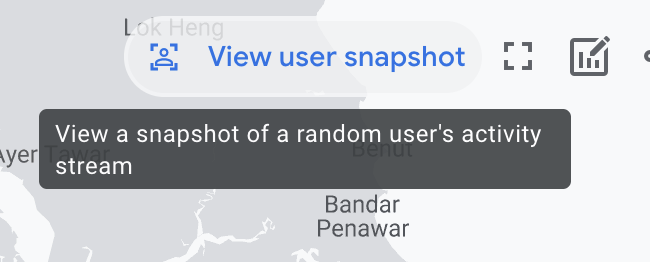
It took me to this screen, where there was really tonnes of information about how a random user interacted with my site.
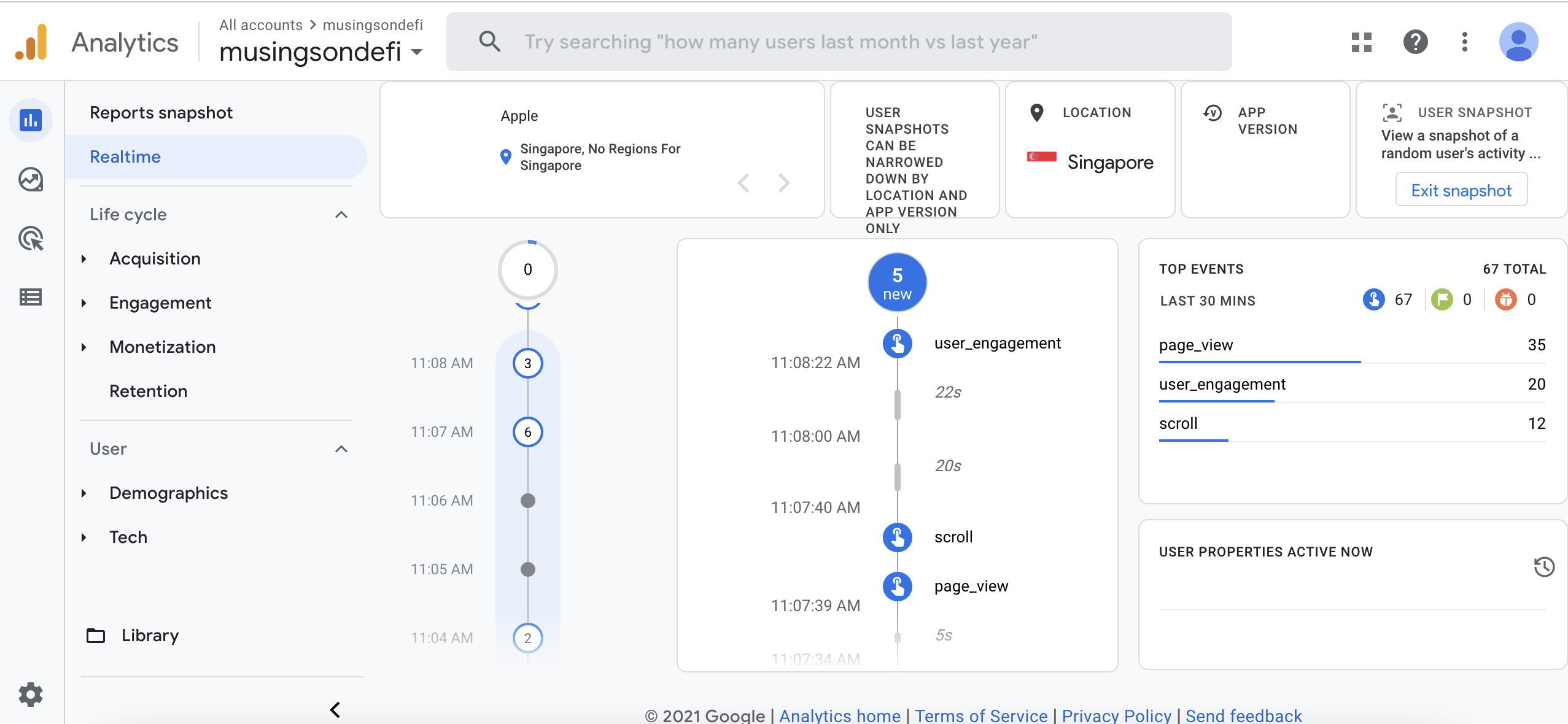
In my mini-experiment, the random user, of course, happened to be me.
I’ve learned that each of the actions that I took are captured on the site.
User engagements such as a click on a link is captured within the user_engagement object. Page views (defined as and triggered by any new page landings) are captured under the page_view variable. User scrolling actions are captured under scroll. Each of these variables are likely Javascript objects that capture a series of data relating to the action.
user_engagement, for instance, hosts the following data:
traffic_type(internal/ext)page_title(title of page)page_referrer(from)page_location(uri)engagement_time_msec(since the last user_engagement event)
As the three objects, user_engagement, page_view, and scroll did not seem that intuitive at first, I decided to conduct a test to find out what they mean.
First, I simply refreshed the browser, which was on this page (localhost:1313/google-analytics-realtime) (I am testing the page). From the real time feed on the Analytics dashboard, the event registered as a page_view. This makes sense.
Within the page_view object, page_title shows: Google Analytics Realtime | Musings On Defi. (I m honestly rather impressed with the formatting…). Page_location shows
http://localhost/notes/google-analytics-realtime/. There was no page_referrer field, since it was a refresh.
So far so good. Then, I tried to scroll the page. As expected, the event captured is scroll. What is funny is that, despite scrolling 100%, the percent_scrolled variable captures that I’ve scrolled only 90%. Okay. Then, I clicked on the link above ‘Everyday life’. This brings me to the list view. Sure enough, a user_engagement is captured. It’s important to note that the page_title for this engagement is still on the original page, since it’s an engagement done on that page. The page_referrer field within user_engagement object points to /notes, which was probably where I was before this. The page_location field points me to /notes/google-analytics-realtime still, which is the page of engagement. So, the key conceptual takeaway is that a user_engagment will contain data of the engagement done on the current page, even though the engagement in question is a click to another page. Nowhere within the engagement does it indicate that I’ve clicked on a link - it simply shows that I’ve done something.
One last thing about the user_engagement variable before I move on. In order to determine whether scroll is registered as the previous event in the engagement_time_msec field, I decided to conduct a test.
Plan:
0:00: load page
0:05: start scrolling up and down non stop for 10 seconds
0:15: stop scrolling
0:25: click on new page.
Results:
Within this test, my engagement_time_msec was 19.4 seconds. Interesting. This means that the last ’event’ was at 5sec mark, which confirms my hypothesis that the ’last event’ is triggered at the start of scrolling.
Conclusion:
The engagement_time_msec field within user_engagment variable records the start of the previous user action such as scrolling.
This sums it up. After a morning of fiddling around with Google Analytics, I feel like I’ve learned quite a bit about such an important piece that I’ve been sleeping on. 😛
Some further notes on variables:
The scroll object also has parameter engagement_time_msec, which, from my last test, indicates that it starts counting from when the person loads the page, i.e. from the page_view action.